.png?width=256&height=60&name=Logo%20(1).png)
Pixaera training is available in multiple languages. This guide explains how to select your preferred language when starting a module, and what to do if the language isn’t available.
How to choose your language
When you start a module, you’ll be prompted to select your preferred language before the training begins.
- Open the module from your Pixaera dashboard and click Start.
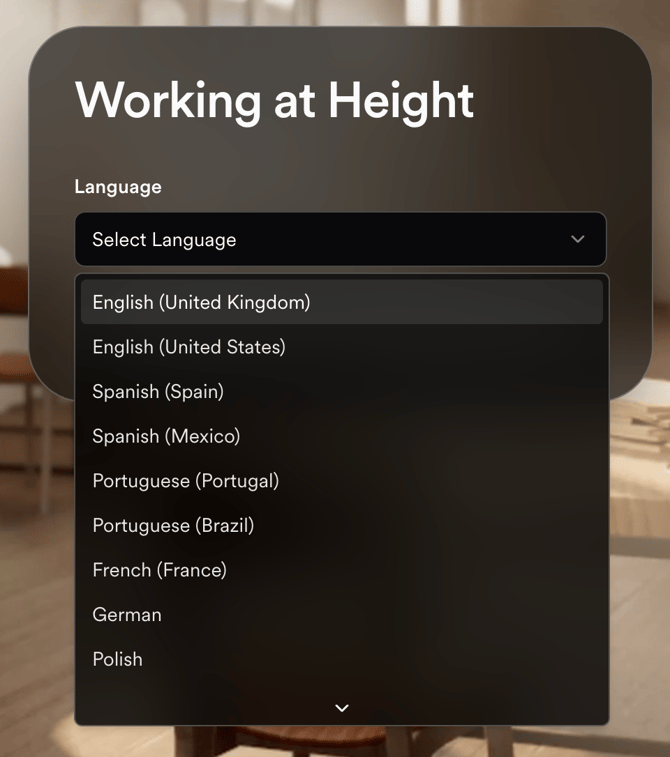
- A language selection dropdown will appear. Choose your preferred language from the list.
- Click Start session. The module will load in the language you selected.
What languages are available?
Language availability varies by module. Not all modules are available in all languages. The language dropdown will only show languages that are available for that specific module.
For a full list of language availability by module, please contact help@pixaera.com or speak to your L&D administrator.
I selected my language but the module is still in English
If the module plays in English after you selected a different language, try the following:
- Exit the module and return to your dashboard.
- Relaunch the module and select your language again from the dropdown before clicking Start session.
- If the module is still displaying in English, the specific language you selected may not yet be fully available for that module. Contact help@pixaera.com with the module name and the language you need.
Requesting a new language
If the language you need isn’t available in the dropdown at all, contact help@pixaera.com with your request. The Pixaera Team will be able to advise on current and future language availability for any module.