.png?width=256&height=60&name=Logo%20(1).png)
The module assignment feature allows you to deliver targeted training to specific groups of users — whether internal teams or contractors — based on site, region, or group.
This ensures the right people get the right training, without unnecessary clutter.
What you can do with Module Assignments
- Assign training modules to specific groups
- Mark modules as Required, Optional, or Hidden
- Set module validity periods (e.g., re-take every 6 or 12 months)
- Automatically issue Certificates of Completion when all requirements are met
Admin workflow
Step 1: Select a group
- From the Admin Dashboard, click on Organization tab, then navigate to Groups, Sites or Regions.
- Select the target group (e.g., contractors for a specific site) or create a new one by clicking the “Create button”.
- Go to the “Training” tab and click on the “Add training configuration” button.
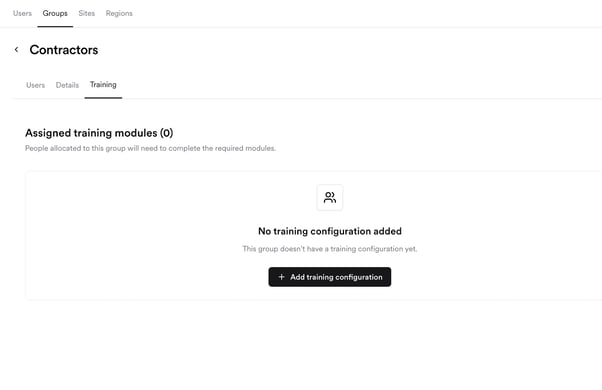
Step 2: Configure training
- To create a training configuration for the selected group, select the training modules. For each module, you can set the status as:
- Required – must be completed for certification
- Optional – available but not mandatory
- Hidden – not visible to the group
- Set the validity period for each module (e.g., 3, 6 or 12 months). After expiry, users must re-take the training.
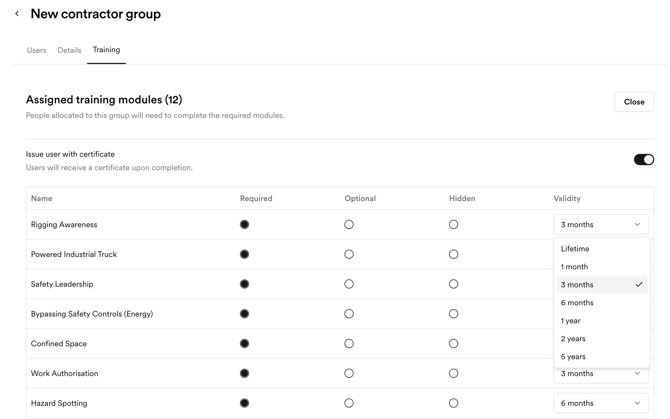
Step 3 (optional): enable Certificates of Completion
- After the training module selection, at the top of the page you will find a toggle to enable automatic certificate issuance for the training configuration.
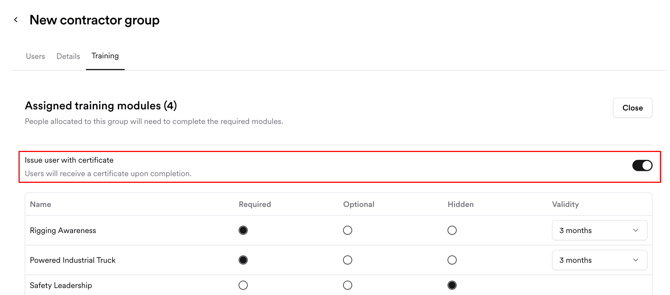
- After enabling the completion certificate, click “Close” to save the configuration.
- Certificates are issued to users by email only when all required modules are completed and valid.
- If:
- A module is incomplete or expired → Certificate is invalid.
- New training is assigned after issuance → User is notified via email and must complete the new training to restore certificate validity.
Pro tips
- Use Hidden status to prepare upcoming training without notifying users.
- Set shorter validity periods for compliance-sensitive modules to keep skills current.
- Review certificate statuses regularly to ensure training compliance.
User experience
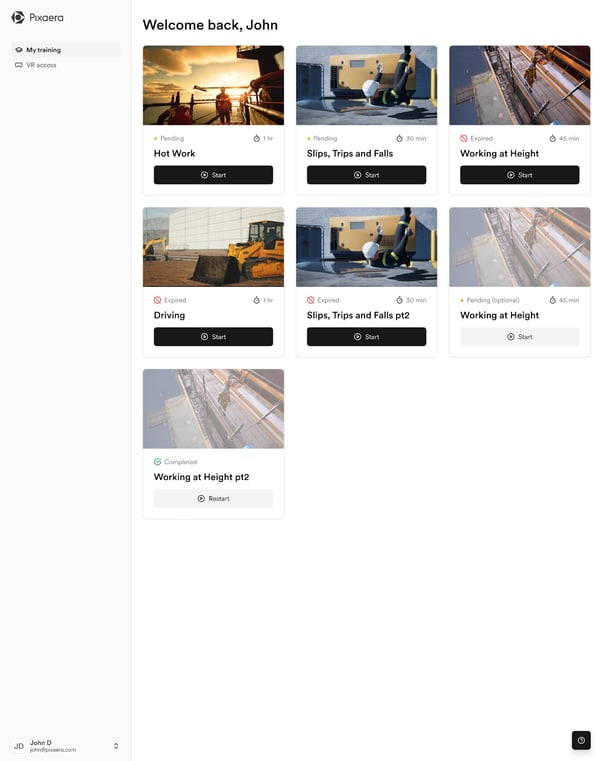
- Users see only their assigned modules in the dashboard.
- New assignments trigger email notifications prompting completion.
- Certificates are delivered by email once all requirements are met.
- Future updates will let users view assignment breakdowns by site, group, or region.
Here’s how the learner dashboard looks when the modules are assigned to his group, site or region: