.png?width=256&height=60&name=Logo%20(1).png)
Let’s get your Pixaera journey started. This guide walks you through your first steps — getting set up, accessing training, and getting comfortable with the platform for the first time.
To set up and access your account, follow these steps.
1. Accept your invitation
You'll receive an activation email titled from Pixaera. To activate your account, click the button at the bottom of the email.

If the email didn’t arrive, check your spam folder or contact a Pixaera administrator at your company.
2. Add your data and password
Complete your information, add your password, and click “Activate”.

3. Access your account
You will receive an email confirmation about a successful account activation. After activating your account, you will be able to access the web app at app.pixaera.com.

SSO
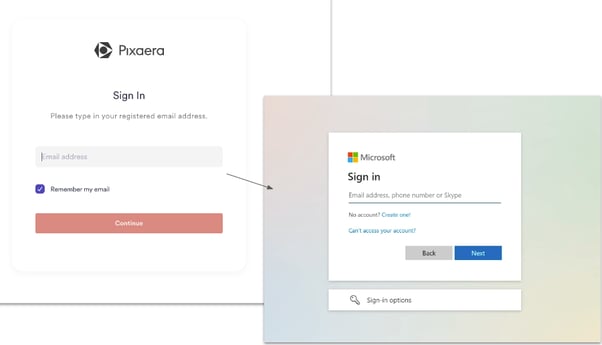
Note that if your organization uses Single Sign-On (SSO), entering your email will automatically redirect you to your company’s secure login page.
After your account is set up, start exploring your dashboard. Here’s the guide to help you familiarize yourself with what’s available in Pixaera →