.png?width=256&height=60&name=Logo%20(1).png)
Tracking attendance and collecting feedback is a critical part of running effective and compliant classroom training. This article walks you through the process step-by-step — ensuring your records are accurate and your training impact is measurable.
Ways to measure
You can measure the outcomes of your classroom training sessions by two criteria:
- Attendance (if you've chosen an Attendance-based delivery
- Survey results (if you've chosen Survey-based delivery)
You can switch between the delivery methods during the session and measure both attendance and survey results.
Tracking attendance
Accurate attendance records eliminate guesswork and ensure you know exactly who was trained, when, and where.
To mark attendance:
- Open the scheduled session from the session list on the Classroom management page
- Click on the your session
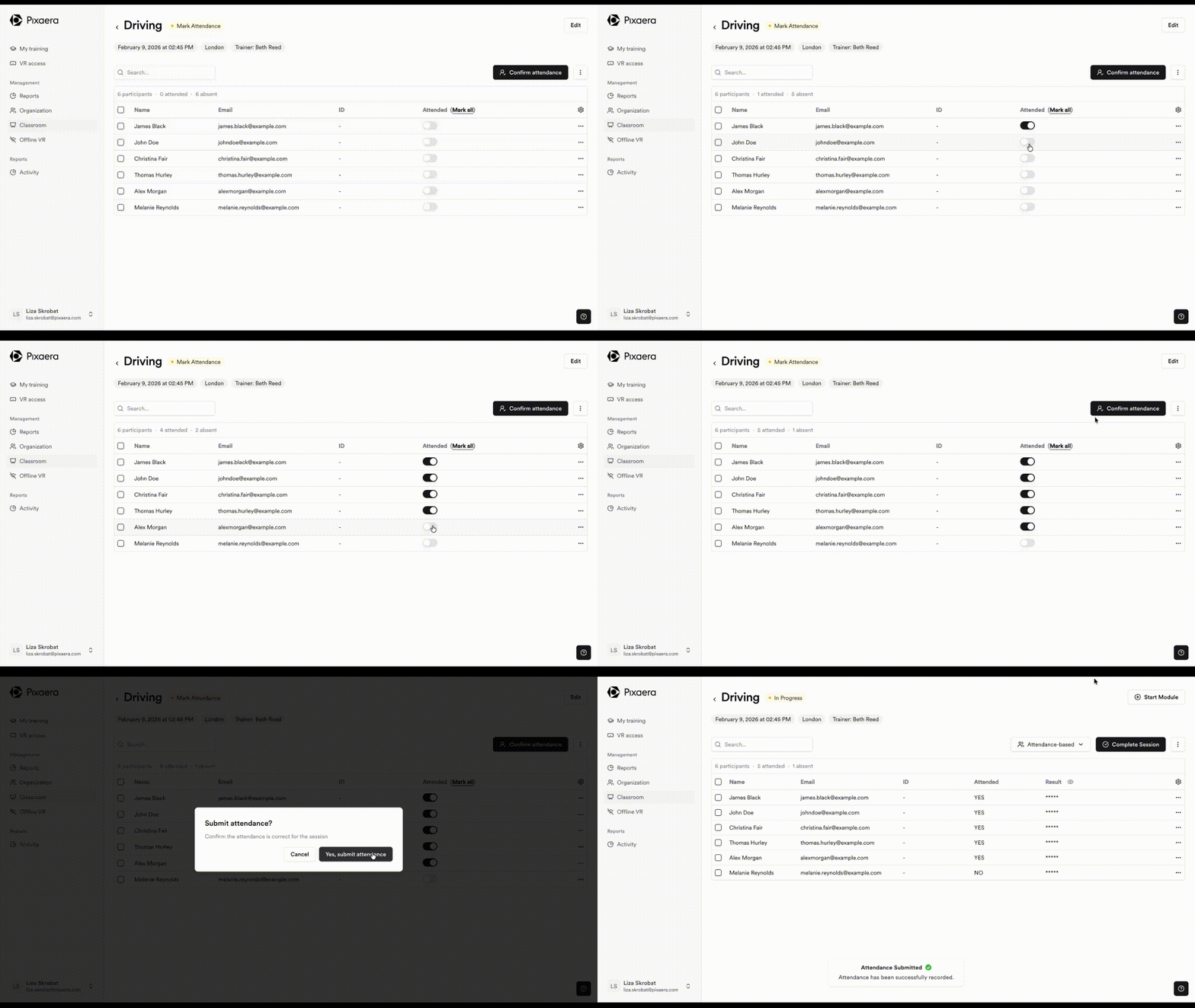
- Confirm participants' attendance by toggling the button to “Attended”, or you can ‘Mark all’ as attended by clicking the “Mark all” button.
- Click on "Confirm attendance" to finalize the process.
Collecting feedback with post-training surveys
After completing the immersive safety training module and submitting attendance, trainers should use the post-training survey provided. This is a crucial step in capturing trainee understanding and measuring life-saving rules retention.
How it works:
- Enable the survey
Each session includes a built-in survey that matches the language of the training. Once the session ends, as long as you have submitted attendance for your classroom session, you can launch the survey directly from the dashboard.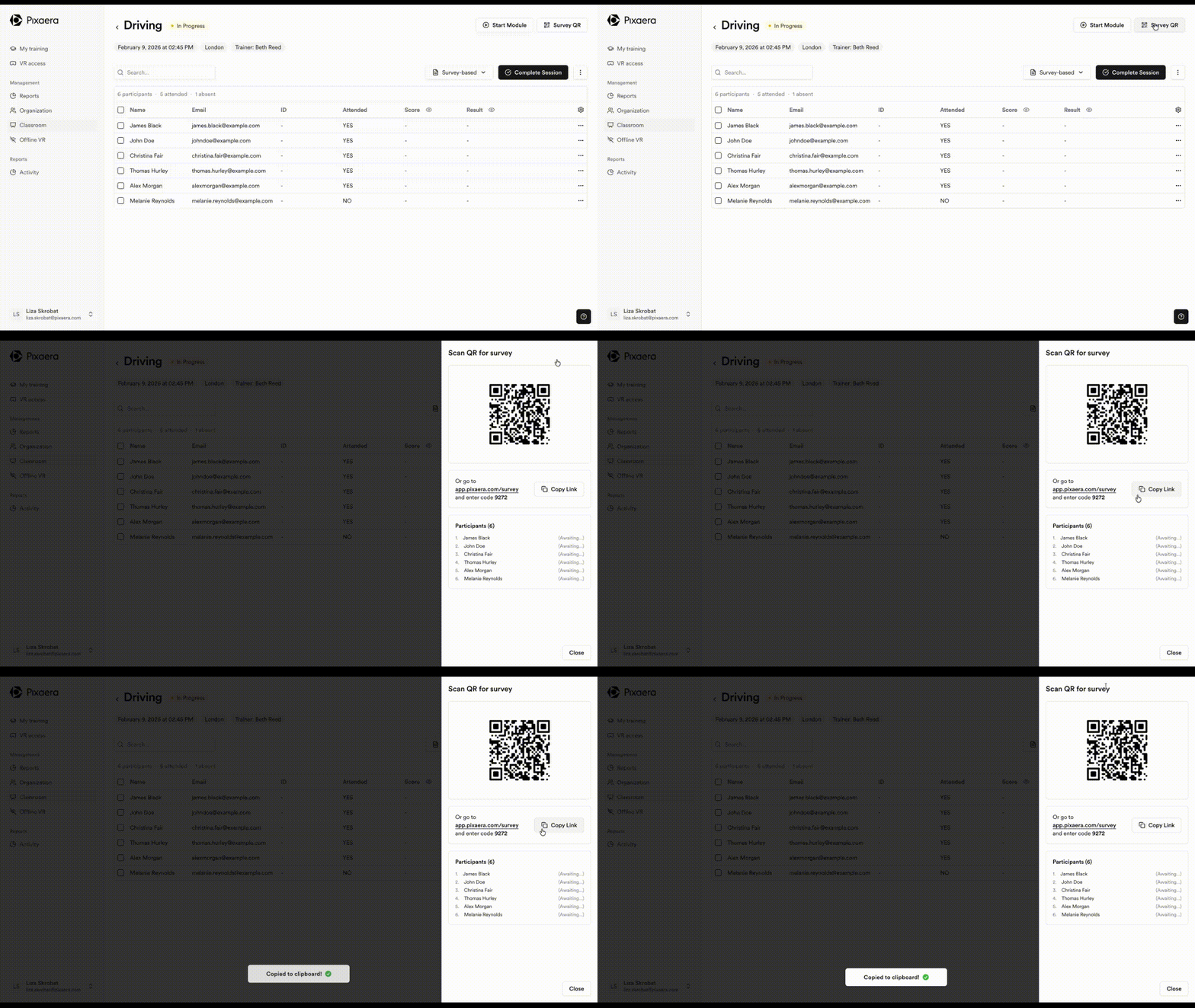
- Participant response
Trainees scan the QR code using their phone and complete the survey right in the room. It takes just a minute — seamless and instant.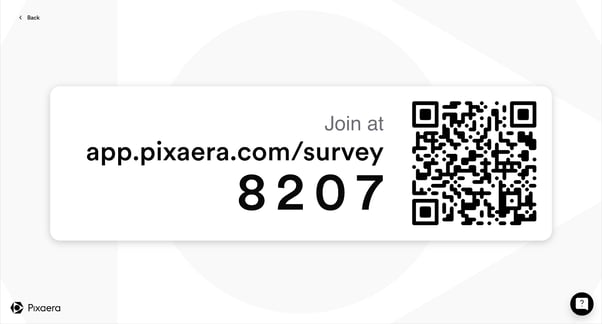
- Evaluate the results
Responses are automatically fed into your session dashboard. Use these insights to:- Measure knowledge retention
- Detect engagement gaps
- See who needs retraining or coaching
Remediation options (if someone fails or has no score)
Trainers can:
- Reschedule a participant into a new session for a retake/remediation
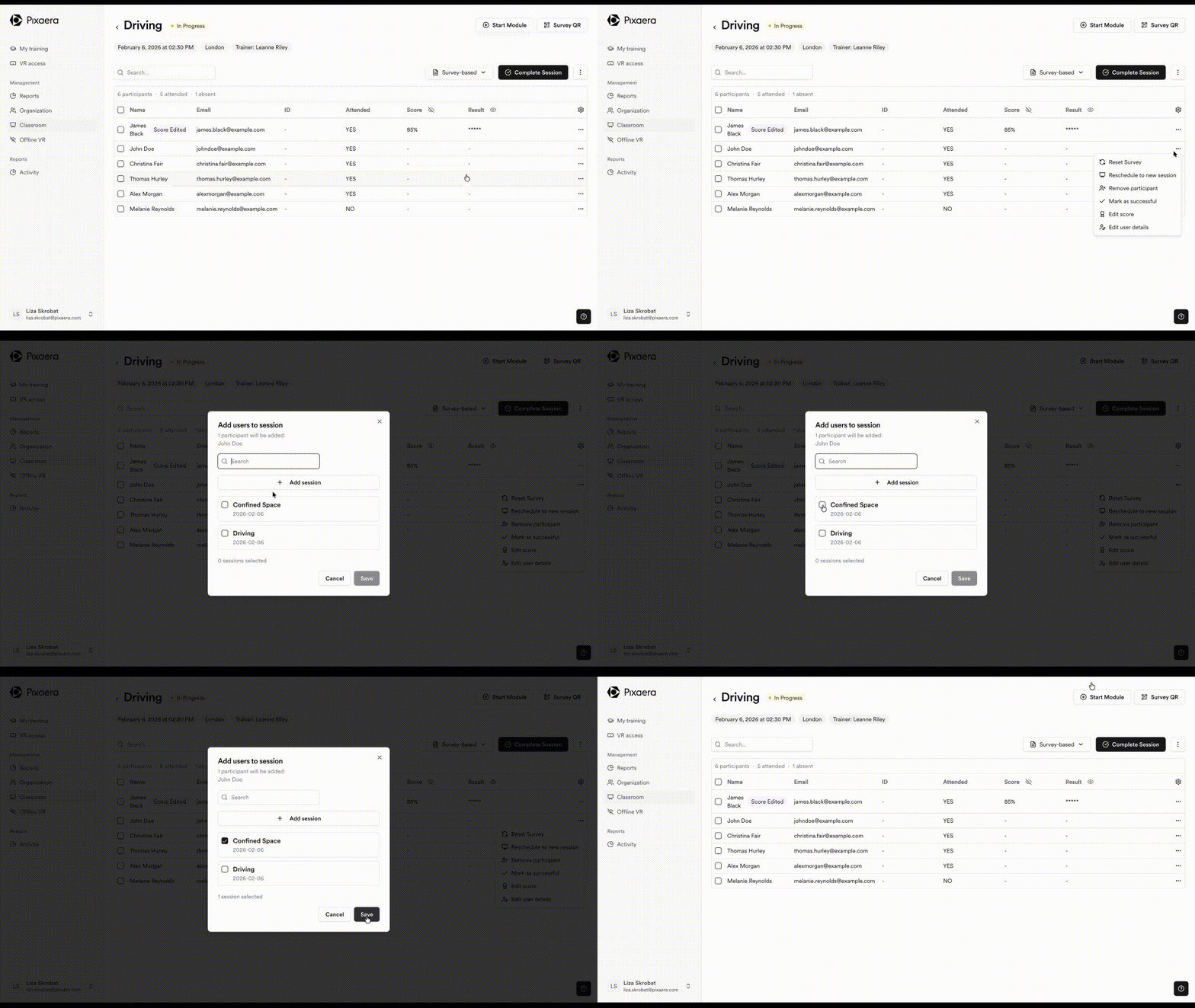
2. Override a failing (or missing) outcome and mark them as successful after remediation
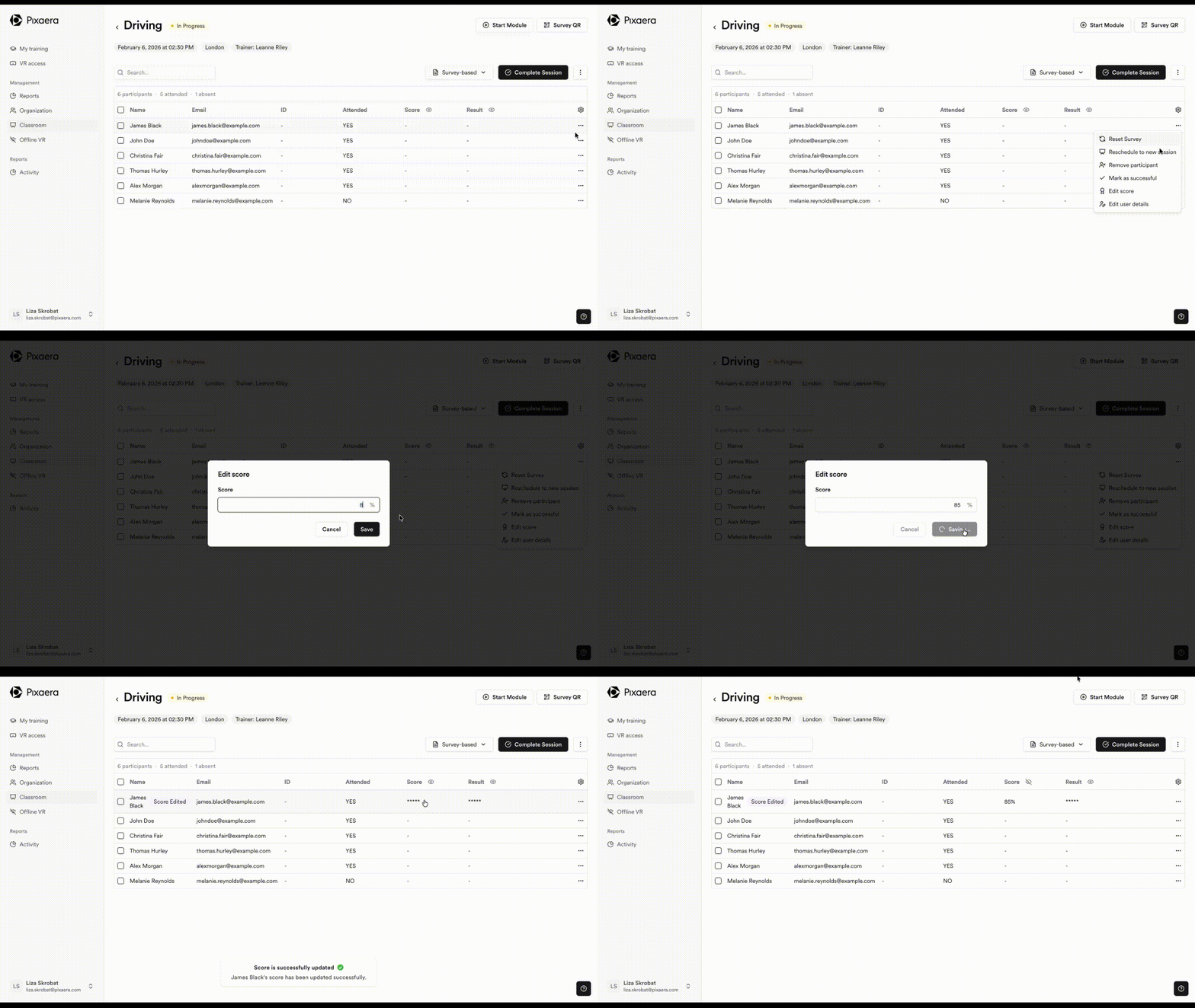
⚠️ Scores are hidden by default when screen sharing. You can reveal them when appropriate.
Live participation (coming soon)
Live participation will enable real-time in-session questions and scoring when it’s released. For now, it will appear as “coming soon” in the platform but is not yet available.