.png?width=256&height=60&name=Logo%20(1).png)
If you’ve gone through an entire module but it still shows as In Progress or Pending on your dashboard, this guide explains why - and what to do about it.
This guide covers:
- What counts as completion in Pixaera
- Common reasons a course stays incomplete
- What to do if the issue persists
What triggers completion in Pixaera?
A module is marked complete when you:
- Go through all scenarios, answer all questions and the final review step in each module.
- Reach the final results screen at the end of the module.
- Tap or click Complete session on the results screen. This step is required - closing the browser before tapping Complete session will leave the module as incomplete.
- Achieve 70% minimum pass score - You will get confirmation at the end of the completion status and score. If you score below 70%, you would need to take the module again and achieve the minimum score.
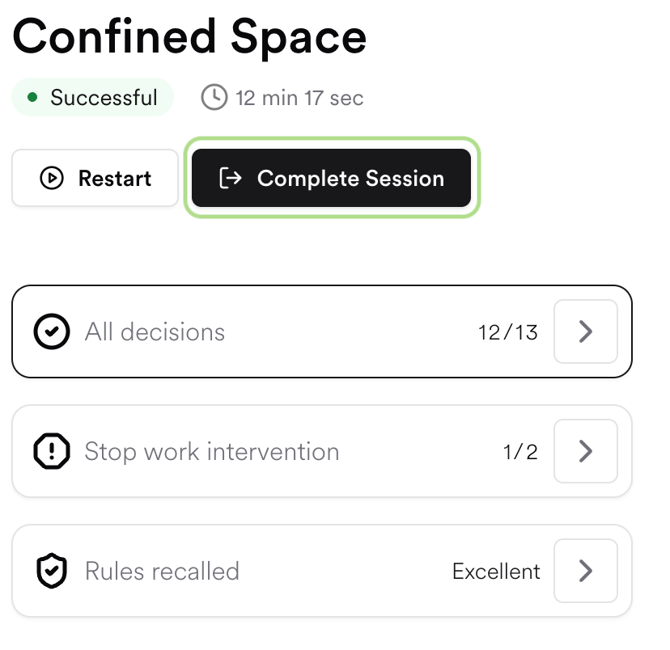
If you close the tab, lose your connection, or navigate away before tapping Complete session, your progress is usually saved but the module is not marked complete. You’ll need to relaunch the module and reach the end again to complete it.
Common reasons a module stays incomplete
You didn’t reach the final screen
The most common cause. Relaunch the module - it will resume from where you left off in most cases. Scroll through to the end and tap Complete session.
The module restarted unexpectedly
On the rare occasion a module loops back to the beginning after a Stop Work action or question, continue through and reach the Complete session button at the end.
Your connection dropped mid-session
If your internet connection cut out during a session, progress may not have saved correctly. Relaunch on a stable connection and complete the module again.
You’re accessing via an LMS (e.g. Workday/SuccessFactors)
If you’re launching Pixaera from your company’s Learning Management System, completion needs to be communicated back to the LMS. See My course shows complete in Pixaera but not in my company’s LMS for guidance.
How to confirm completion
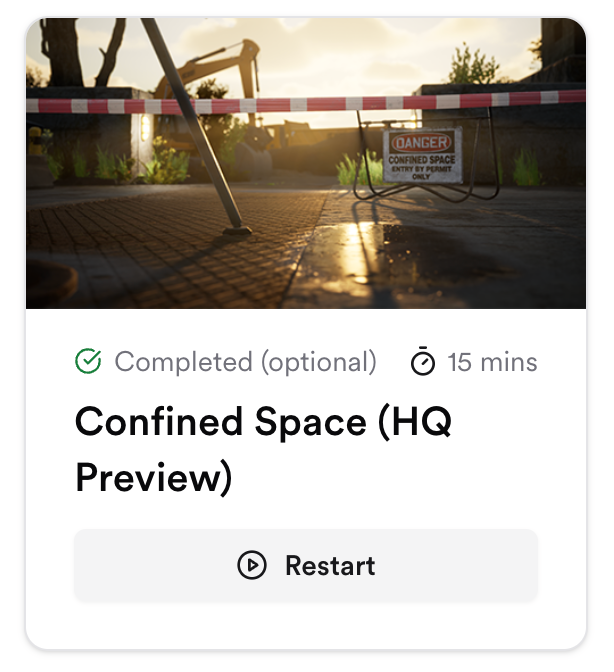
After completing a module, your dashboard should show a green checkmark or Completed status on the module card.
If the module still shows incomplete after following the steps above, contact help@pixaera.com with your name and email, the module name, a screenshot of your dashboard, and roughly when you completed the training.
💡 Tips & best practices
- Always wait for the Complete session button before closing the browser.
- Complete training on a stable Wi-Fi or wired connection to avoid progress loss.
- Use Chrome or Edge for the most reliable experience.
- On the rare occasion a module restarts unexpectedly, continue to the end - your completion will still register when you reach the final screen.